
The Architectural Blueprint of Highlevel Workflows
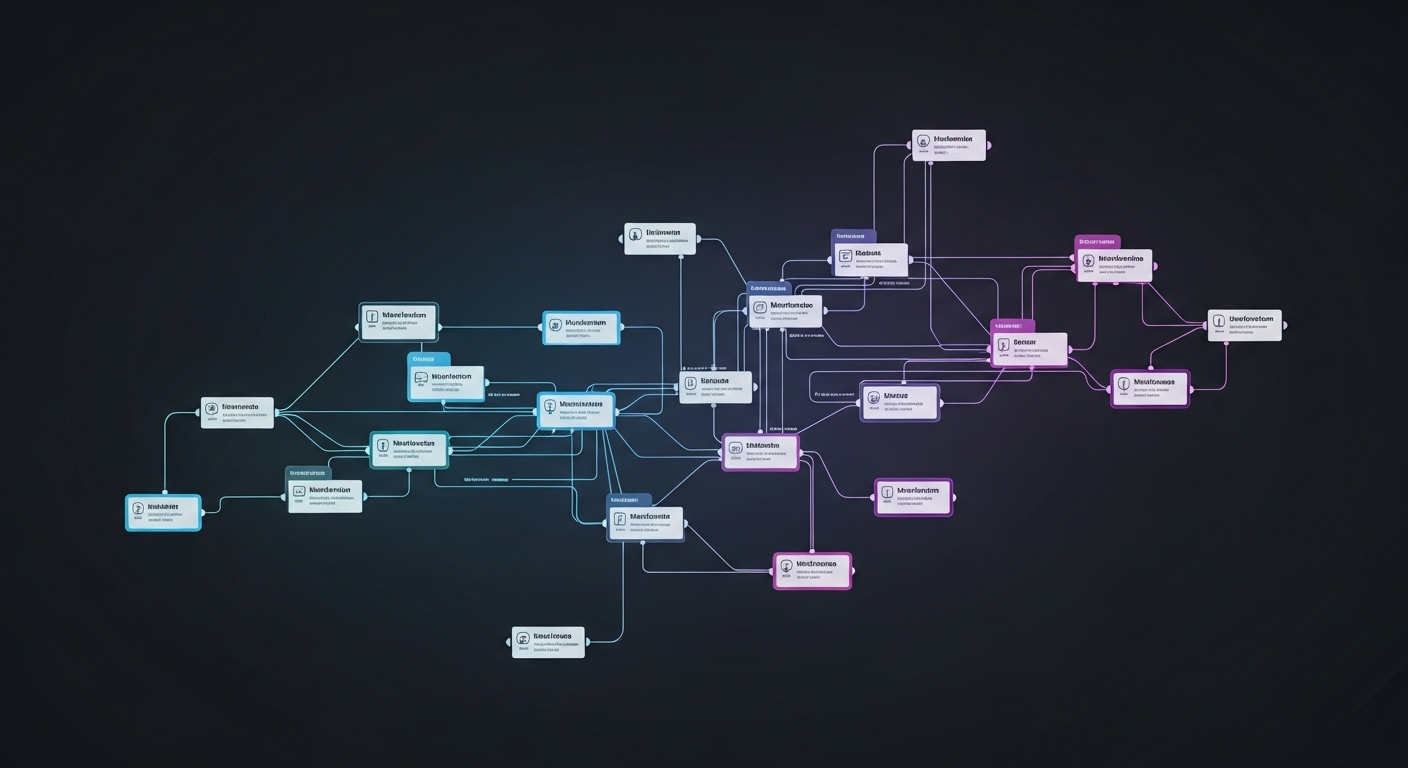
The capacity to automate complex business processes is no longer a luxury reserved for large enterprises; it has become a foundational requirement for any organization seeking efficiency, scalability, and a competitive edge. The Highlevel platform’s workflow automation engine is a sophisticated system designed to serve as the central nervous system for a business’s marketing, sales, and operational activities. Understanding its architecture is the first step toward harnessing its full potential. This architecture has evolved significantly, moving from a bifurcated system of separate “Campaigns” for sequences and “Triggers” for event-based automation into a single, unified, and visually intuitive Workflow builder. This strategic consolidation not only lowers the technical barrier for users but also provides a more powerful and flexible canvas for creating intricate, end-to-end automations. The engine is built upon a hierarchy of logical components, from the simple “if-this-then-that” paradigm to advanced control flow mechanisms and artificial intelligence, allowing for the creation of systems that are not just automated, but intelligent.
The Core Logic: The “Trigger-Action” Paradigm
At its most fundamental level, all automation within the Highlevel platform is governed by the “Trigger-Action” paradigm. This is a simple yet powerful “if-this-then-that” logic that forms the bedrock of every workflow.
Trigger is the specific event that initiates the automated sequence—it is the “if” in the automation equation. This could be anything from a customer submitting a form on a website to an opportunity’s status changing in the sales pipeline management.
Action is the predefined task, or series of tasks, that the system executes in response to that trigger—it is the “then”.
The primary purpose of this structure is to automate any task that is repetitive or repeatable, thereby making business processes faster, more consistent, and less prone to the human error inherent in manual execution. The system is designed with flexibility in mind, allowing for multiple, distinct triggers to feed into a single, consolidated workflow. This enables a business to channel contacts from many different sources—such as a website form, an API call, or a manually added tag—into one unified nurturing or onboarding process, creating significant operational efficiency.
Achieving Granularity: The Critical Role of Filters
While the Trigger-Action model provides the basic framework, triggers alone can often be too broad to be effective in real-world scenarios. This is where Filters play a critical role. Filters are additional parameters that allow a user to add layers of specificity and precision to a trigger, refining the “if” condition to ensure the workflow only activates under the exact desired circumstances.
For example, a “Call Status” trigger will, by default, activate for any type of call, whether inbound, outbound, or missed. This is rarely desirable. By applying a filter, a user can specify that the workflow should only trigger for “Incoming Calls” and, for even greater precision, only for calls made to a “specific phone number”. Similarly, a generic “Form Submitted” trigger can be filtered to apply only to a single, specific form, such as a “Request a Demo” form, ensuring that the subsequent actions are highly relevant to that particular lead’s intent. Filters are therefore not an optional enhancement but an essential component for building context-aware automations that respond intelligently to specific events rather than reacting to general ones.
Advanced Control Flow: Orchestrating Complex Journeys
Modern customer journeys are rarely linear. To accommodate this reality, Highlevel’s workflow engine provides a suite of advanced control flow tools that allow for the orchestration of complex, multi-path, and time-sensitive automations.
Conditional Logic (If/Else)
The primary mechanism for creating non-linear paths is the If/Else action. This powerful function allows a workflow to branch into different sequences based on specific conditions related to a contact’s data or behavior. It is the key to delivering personalized experiences at scale. For instance, a workflow can be designed to check if a new lead has opened their initial welcome email. If the condition is met (the email was opened), the “If” path might send them a special introductory offer. If the condition is not met (the email was not opened), the “Else” path could trigger a follow-up email with a different subject line to try and re-engage them. This ability to adapt the journey based on real-time engagement is what separates basic automation from sophisticated, responsive marketing.
Temporal Control (Wait Steps & Drip Mode)
The dimension of time is a critical variable in any communication strategy, and Highlevel provides robust tools for its management. Wait Steps are a fundamental action type used to pace the execution of a workflow. Without them, a five-part email nurture sequence would be sent to a contact all at once, an obviously undesirable outcome. The platform offers several types of wait conditions, providing precise temporal control. These include simple
Time Delays (e.g., wait for 2 days), waiting until a specific Event/Appointment Time (e.g., wait until 1 hour before a scheduled call), or waiting for a specific Condition to be met, such as the contact replying to a message or clicking a specific link in an email.
For managing communications at a larger scale, the platform offers Drip Mode. This feature allows contacts to be released into a workflow in controlled, predefined batches (e.g., 50 contacts per day) rather than all at once. This is crucial for protecting a business’s email sender reputation, preventing communication channels from being overloaded, and ensuring steady, manageable deliverability for large campaigns. Businesses implementing sales funnels in The Woodlands can leverage these temporal controls to optimize their automated marketing campaigns.
Effective automation also integrates seamlessly with customer communication tools, including AI-powered scheduling systems that help businesses optimize appointment booking workflows.
Works Cited
The ULTIMATE Guide to Go High Level Workflows – Flexxable, accessed June 19, 2025, https://flexxable.com/the-ultimate-guide-to-go-high-level-workflows-%F0%9F%A7%A0/
Introduction to Workflows and Automations – HighLevel Support Portal, accessed June 19, 2025, https://help.gohighlevel.com/support/solutions/articles/155000002445-introduction-to-workflows-and-automations
HighLevel Workflows (Triggers & Actions) The Best Guide 2024, accessed June 19, 2025, https://getextendly.com/highlevel-workflows-triggers-actions-best-guide/
Getting Started with Workflows – HighLevel Support Portal, accessed June 19, 2025, https://help.gohighlevel.com/support/solutions/articles/155000002288-getting-started-with-workflows
List of Workflow Triggers for GoHighLevel – Growthable, accessed June 19, 2025, https://growthable.io/gohighlevel-tutorials/workflows/list-of-workflow-triggers-for-gohighlevel/